
News
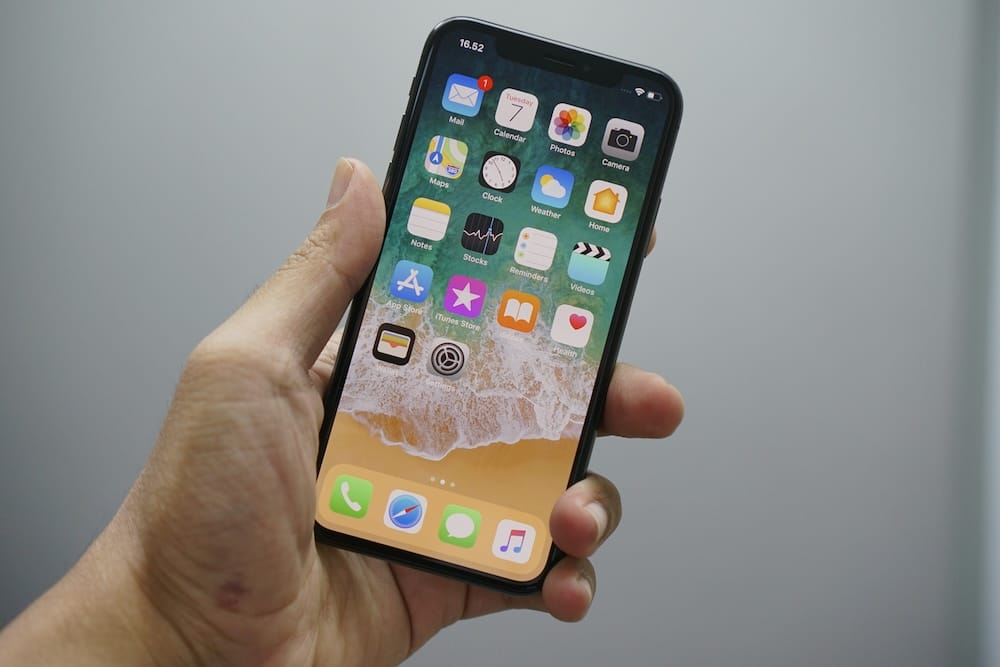
Getting More Out of the Device in Your Pocket
Smartphones have become a daily companion for millions of Americans, yet most people use only a small fraction of what these devices can actually do. Whether you carry an iPhone or an Android, a handful of simple tricks can save time, protect your privacy, and even help in an emergency. Recent guides published by major outlets including AP News, USA Today, and the Wall Street Journal have highlighted features that many longtime users still overlook.
The good news is that you do not need to be a tech expert to take advantage of them. Most of these tools are built right into the phone you already own, and turning them on usually takes just a few taps in the settings menu.
Make the Screen Easier on Your Eyes
One of the most common complaints about smartphones is that text is too small or the screen is too bright late at night. Both iPhone and Android devices allow you to increase the default text size system-wide. On an iPhone, open Settings, tap Display and Brightness, and choose Text Size. On Android, the same option is found under Settings and Display.
For nighttime reading, the Night Shift feature on iPhone and the Night Light setting on Android shift the screen to warmer tones that are gentler on tired eyes. You can schedule it to turn on automatically at sunset. There is also a Dark Mode option that flips the background to black with white text, which many users find easier to read in low light and which can extend battery life on newer phones with OLED screens.
Use Your Voice to Do More
Voice assistants like Siri on iPhone and Google Assistant on Android have improved dramatically. You can set timers, send a text message, get directions, call a family member, or look up a recipe without ever touching the screen. Saying 'Hey Siri, call my daughter' or 'Hey Google, what is the weather tomorrow' works hands-free, which is especially useful while cooking or driving.
Dictation is another underused feature. Instead of typing out a long message, tap the microphone icon on the keyboard and simply speak. The phone will type the words for you, including punctuation if you say 'period' or 'comma.'
Protect Yourself From Scam Calls and Texts
Unwanted robocalls and scam texts remain one of the biggest frustrations for phone users. Both iPhone and Android now include built-in spam protection. On iPhone, go to Settings, tap Phone, and turn on Silence Unknown Callers. Calls from numbers not in your contacts will go straight to voicemail. On Android phones, the Phone app has a Caller ID and Spam Protection toggle that flags suspicious calls automatically.
For texts, never click links from unknown senders, even if the message claims to be from a delivery company, your bank, or the IRS. You can report and block scam texts directly from the messaging app by long-pressing the message and choosing Report Junk or Block.
The Medical ID and Emergency SOS Features
One of the most important but least-known features is the Medical ID. On an iPhone, open the Health app, tap your profile picture, then Medical ID, and fill in your medications, allergies, blood type, and emergency contacts. First responders can view this information from the lock screen without needing your passcode. Android offers a similar feature called Emergency Information, found in Settings under Safety and Emergency.
Both phones also have Emergency SOS. On iPhone, pressing and holding the side button along with a volume button will call 911 and notify your emergency contacts with your location. Android phones have a comparable feature activated by pressing the power button five times quickly. Setting this up takes only a minute and could prove invaluable.
Free Up Storage Without Losing Your Photos
Running out of storage is a frequent headache. Before deleting precious photos, check the Offload Unused Apps feature on iPhone, found under Settings, General, and iPhone Storage. It removes apps you rarely use while keeping their data, so you can reinstall them later without losing anything. Android offers a Free Up Space tool in the Files app.
Photos themselves can be backed up automatically to iCloud or Google Photos, freeing space on the device. Google Photos still offers free storage for compressed images, and both services let you view your pictures from any computer.
Magnifier, Flashlight, and Other Hidden Helpers
Your phone can double as a magnifying glass. On iPhone, the Magnifier app uses the camera to enlarge small print on medicine bottles, menus, or instruction labels. You can even adjust contrast and add a yellow background to make text easier to read. Android users can pinch to zoom in the camera app or download the free Magnifier app from Google.
The flashlight is accessible from the lock screen on both platforms with a single swipe. And the built-in Notes or Google Keep app can scan paper documents using the camera, turning them into searchable PDFs you can email or save.
- Turn on Find My iPhone or Find My Device to locate a lost phone
- Enable two-factor authentication for your email and banking apps
- Set up automatic software updates so security patches install on their own
- Use a passcode of at least six digits, or better yet, fingerprint or face recognition
Keep the Battery Healthy
Lithium-ion batteries last longer when they are not constantly drained to zero or charged to full. Apple recommends keeping the battery between 20 and 80 percent when possible. Both iPhone and Android offer an Optimized Battery Charging setting that learns your routine and slows charging overnight to preserve battery health. Closing apps you are not using and lowering screen brightness also help stretch a single charge through the day.
Smartphones are powerful tools, and spending just a little time exploring the settings menu can transform how useful they are in everyday life. From bigger text to emergency alerts, the features are already there waiting to be turned on.
Join the American Association of Retired Republicans today!
Dues are $12 per year. Member benefits:
✅ Ad-Free Website Viewing
✅ Advocacy for Republican Seniors
✅ Member Only Newsletters
Dues are $12 per year. Member benefits:
✅ Ad-Free Website Viewing
✅ Advocacy for Republican Seniors
✅ Member Only Newsletters